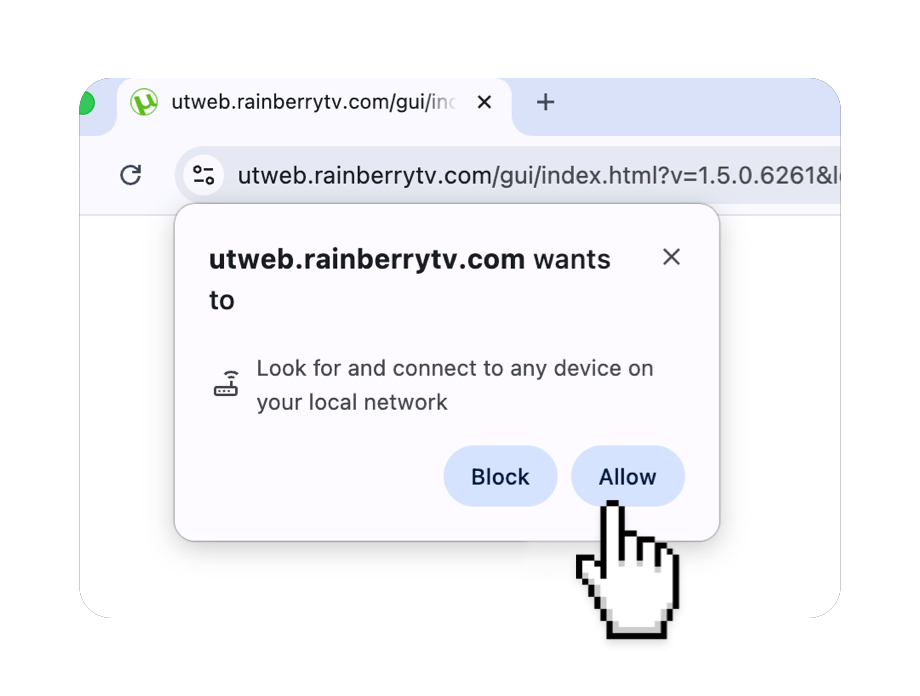


Step 1
Please copy/paste the following link into your browser’s URL bar to open the settings page, and then start the operation from Step 4.
chrome://settings/content/siteDetails?site=https://utweb.rainberrytv.com/
Open browser settings.
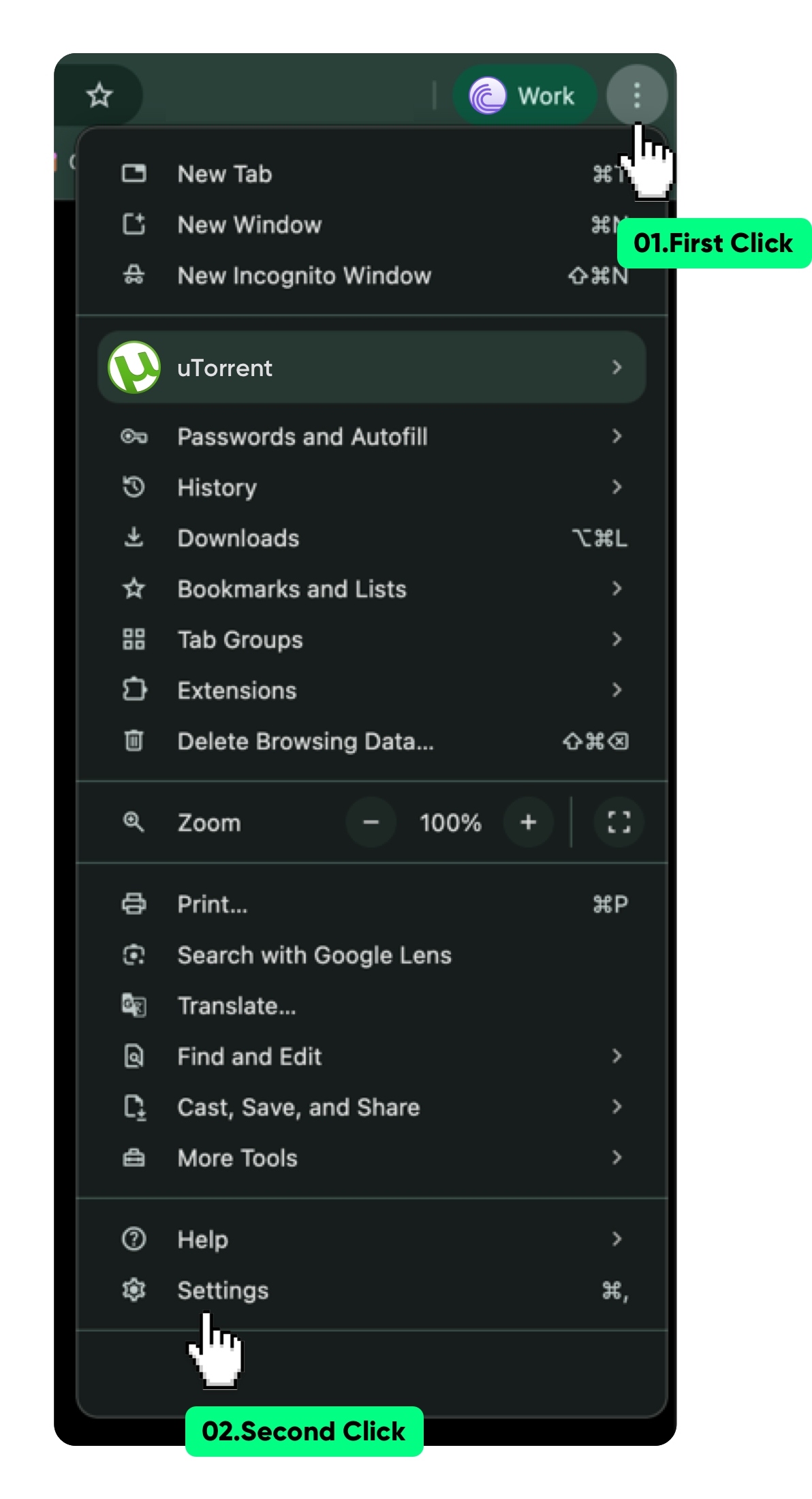
Step 2
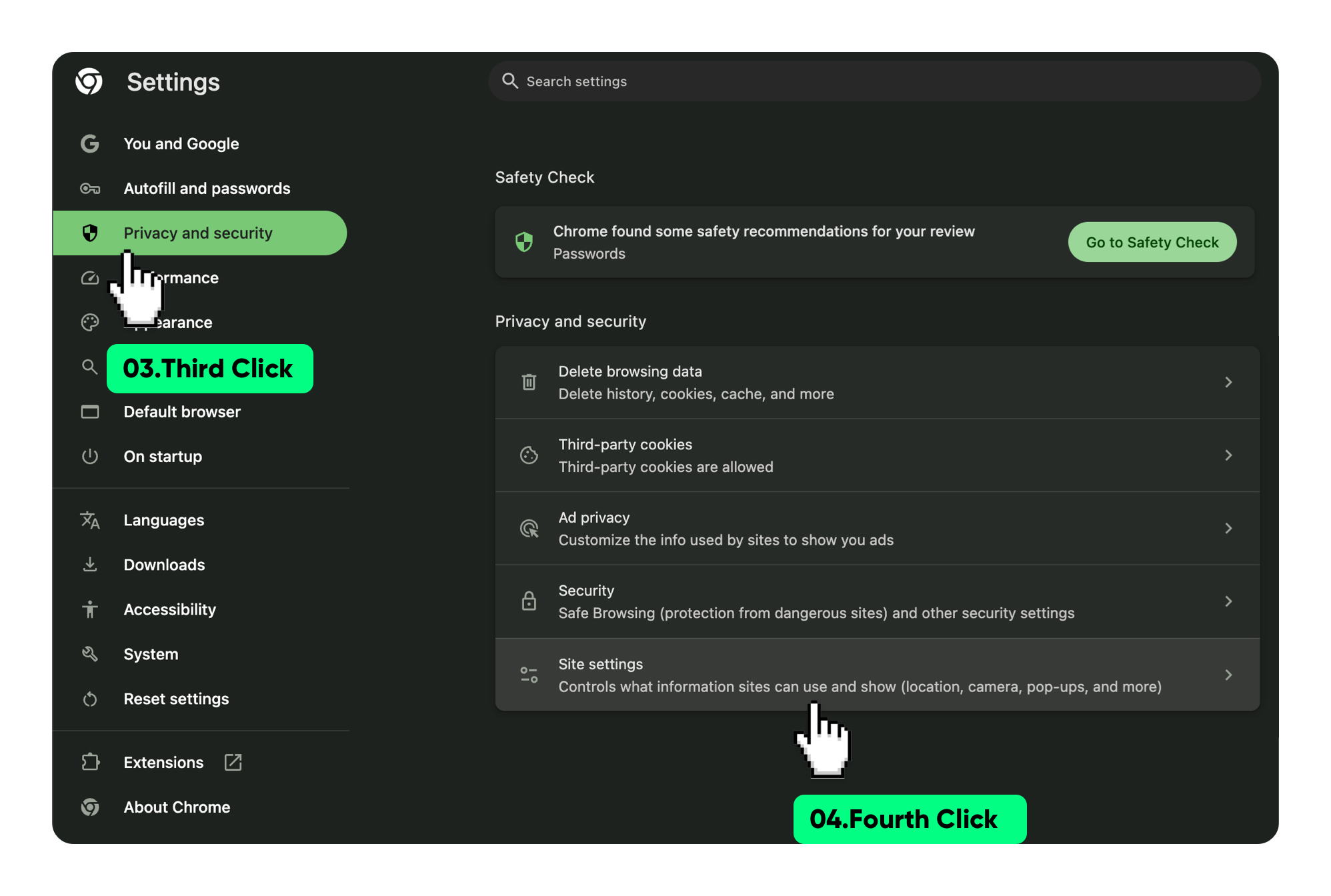
Go to "Privacy and security"
and click "Site settings" at the bottom.
and click "Site settings" at the bottom.
Step 3
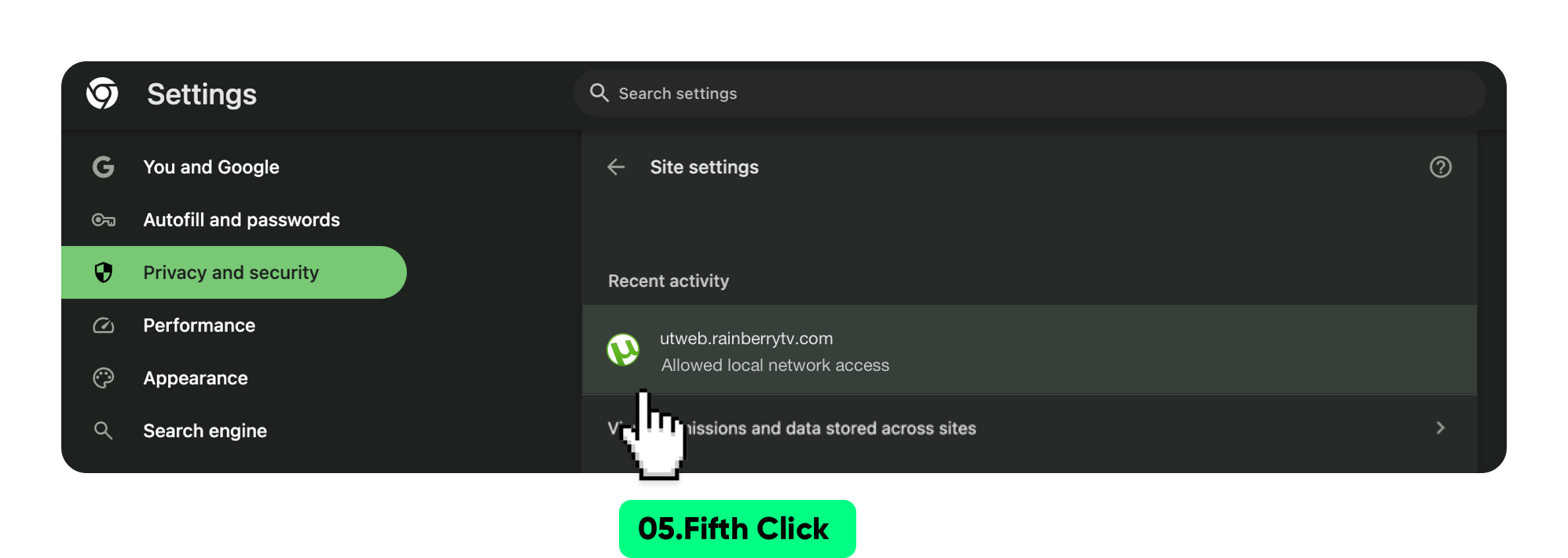
Click utweb.rainberrytv.com
to enter permission settings.
to enter permission settings.
Step 4
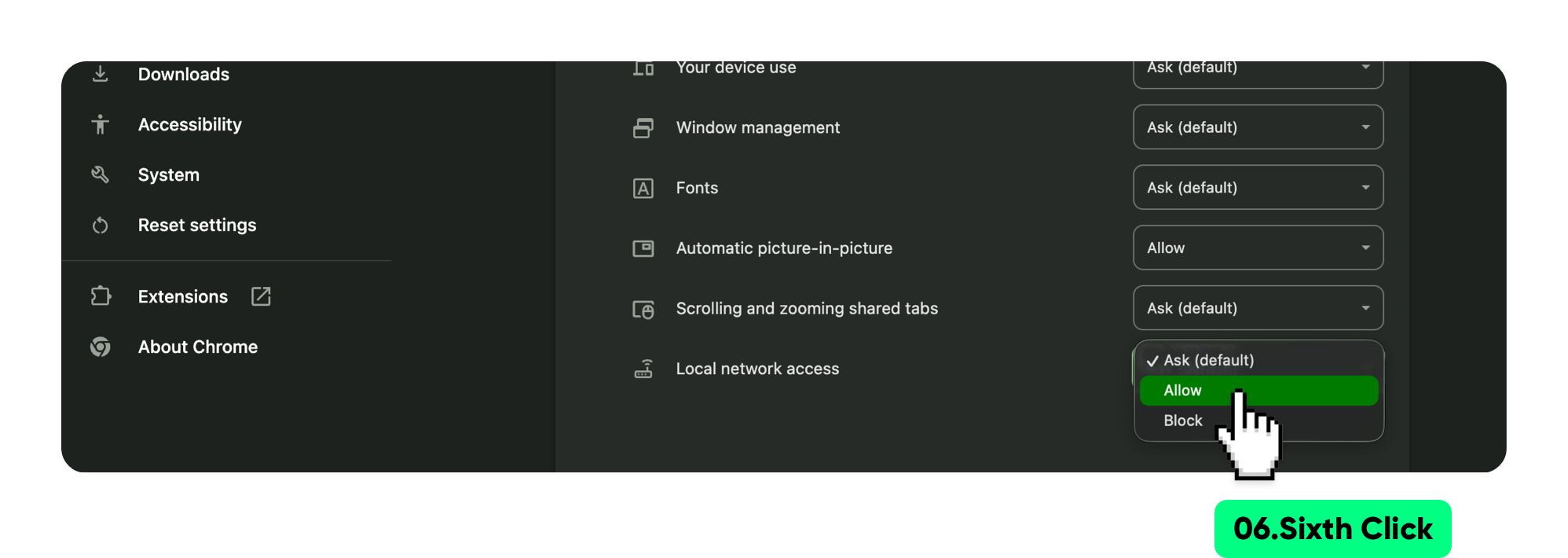
At the bottom, click "Local network access" and set it to "Allow".
Step 5
Finally, restart the browser
to use normally.
to use normally.